
CI Check-In App
iOS Version
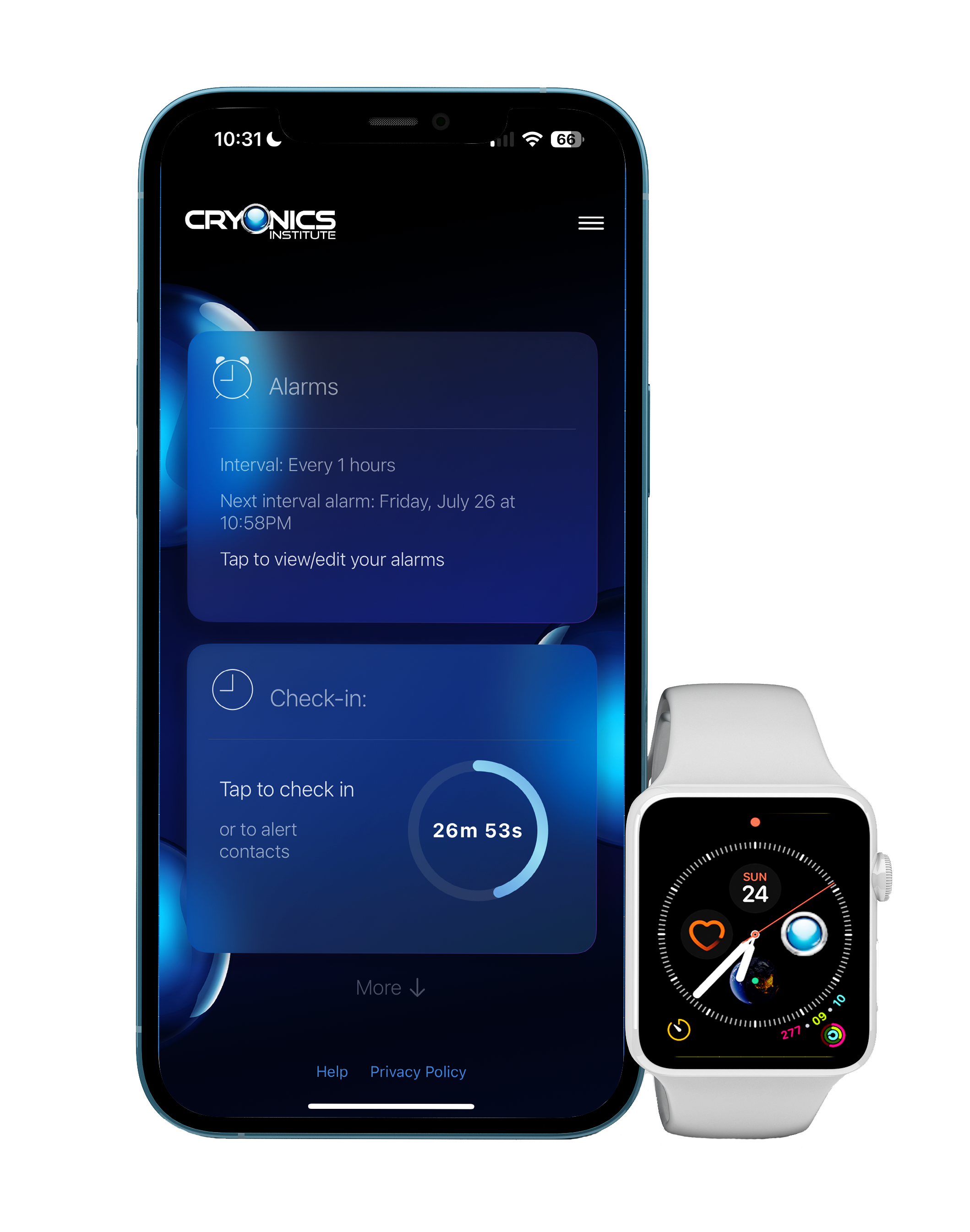
Stay connected and secure with ease—right from your iPhone or Apple Watch. This first iOS release features a refreshed user interface along with new features designed for greater usability.
Getting Started
-
Create Your Profile:
Enter your name and mobile phone number, then tap “Send Verification Text” to confirm your number. -
Add Your Contacts:
Next you can add trusted contacts. Be sure to tap ‘Verify’ so they can opt in and confirm the system can reach them. -
Set Your Alarm Type:
Choose the alarm type that fits your needs:-
Exact Alarms: Trigger at a specific time you set (choose up to 3 times).
-
Interval Alarms: Trigger at regular intervals between 1 and 24 hours.
-
-
Customize your check-ins further by excluding certain times of day or days of the week.
Additional Features
-
Step Alerts:
If no steps are detected over a set period, the app will automatically check in on you. This feature is easy to activate and configure in the Settings menu. -
Apple Watch Companion App:
If you have an Apple Watch, be sure to install the companion app for added convenience. With the watch app, you can check in or alert your contacts directly from your wrist. It also supports Apple Watch Complications, allowing you to place the app icon directly on your watch face for quick access.
Explore More
Explore the Settings to further customize your setup with options for notification sounds, personalized messages, and other system preferences.
For users of the legacy Android Check-In App, you can expect an update that will bring new features to the Android version, along with a UI refresh.

Android Version
The Cryonics Institute’s Check-In App is a simple personal alarm system that checks if you’re all right at scheduled intervals throughout the day.
If you don’t respond, it alerts your selected friends, family and emergency resources by text message so they can call or check in to make sure all is well.
It is ideal for standby notifications, as well as for anyone who wants the peace of mind of knowing a loved one is all right.
App available for free on Google Play for Android.
Privacy Policy
The Cryonics Institute Check-In App (“we”, “us”, or “our”) is dedicated to protecting the privacy of our users. This Privacy Policy outlines our practices concerning the collection, use, and disclosure of your personal information when utilizing the Cryonics Institute Check-In App mobile application (“App”). By using the App, you agree to the processing of your personal information in line with this Policy.
For Android users: Collection policies currently apply only to the iOS version of the app. The Android version does not transmit or store any user data externally.
Information Utilization
We collect information for the purposes outlined below:
- To ensure the operation and maintenance of the App, which includes sending notifications, text messages, and making phone calls at predetermined alarm times.
- To identify, prevent, and resolve any technical issues related to the App.
- To observe and enhance the performance and functionality of the App.
- To communicate your location to your designated emergency contacts if you fail to respond to the alerts within the required timeframe.
- To offer customer support and help as needed.
Data Collection
The types of information we collect during your use of the App include:
- Personal Information: This includes any information you provide us, such as your name, telephone number, and details of emergency contacts.
- Location Information: With your consent, we gather GPS data to offer location-based services and communicate your location to your emergency contacts if required.
- Usage Information: Information regarding how you use the App, including the times alarms are set and your responses to notifications.
- Contact Details: We store contact details of your chosen contacts to reach out to in case of an emergency.
- Step Count: If you elect to use the beta feature “Step Alerts”, we will gather information regarding your daily step count.
Sharing and Disclosure of Information
Your personal information may be shared under the following conditions:
- With your emergency contacts if you do not react to timely notifications and alerts.
- With supporting software service providers (such as Twilio https://www.twilio.com/en-us) that facilitate communication features of the App, such as SMS and calling services (iOS only).
- As mandated by law, such as in response to subpoenas, court orders, or other judicial processes.
Security Measures
We employ appropriate safeguards to protect your personal information from unauthorized access, usage, or disclosure. Despite our efforts, no transmission method or electronic storage is entirely secure, and we cannot promise absolute security of your personal data.
User Choices
You have the choice to modify or erase your personal information within the App at any time. You can manage app permissions, like disabling GPS tracking, via your device’s settings. Be aware that disabling certain functions may affect the app’s performance. At any time, you can request all personal data be deleted either through the App’s Settings page or by contacting the organization (iOS only).
Policy Modifications
This Privacy Policy may be updated periodically. We will inform you of any significant changes by posting the revised policy on the App. It is your responsibility to regularly review this Policy for any updates.
By using the Cryonics Institute Check-In App, you accept the terms outlined in this Privacy Policy.
Error Reporting
If you experience an unexpected bug in the Check-In app, please let us know by filling out the form below. Please try to provide as much detail as possible to help us troubleshoot your issue. In particular, be as descriptive as possible when describing the problem including specifics as to what button or feature you were trying to use and how the app responded.